How to Use IntelliJ Java Code Formatting in VS Code
Hi, I'm Lovefield.
Recently, with my Java workload increasing, I've found myself working with Java in VS Code a lot more. However, since the primary Java extension in VS Code is by Red Hat, I ran into formatting inconsistencies with my collaborators.
At first, I tried to align our formatting using an XML profile, but it didn't match up in the finer details, and I was about to give up. Then, I discovered an incredible extension in the VS Code Marketplace.
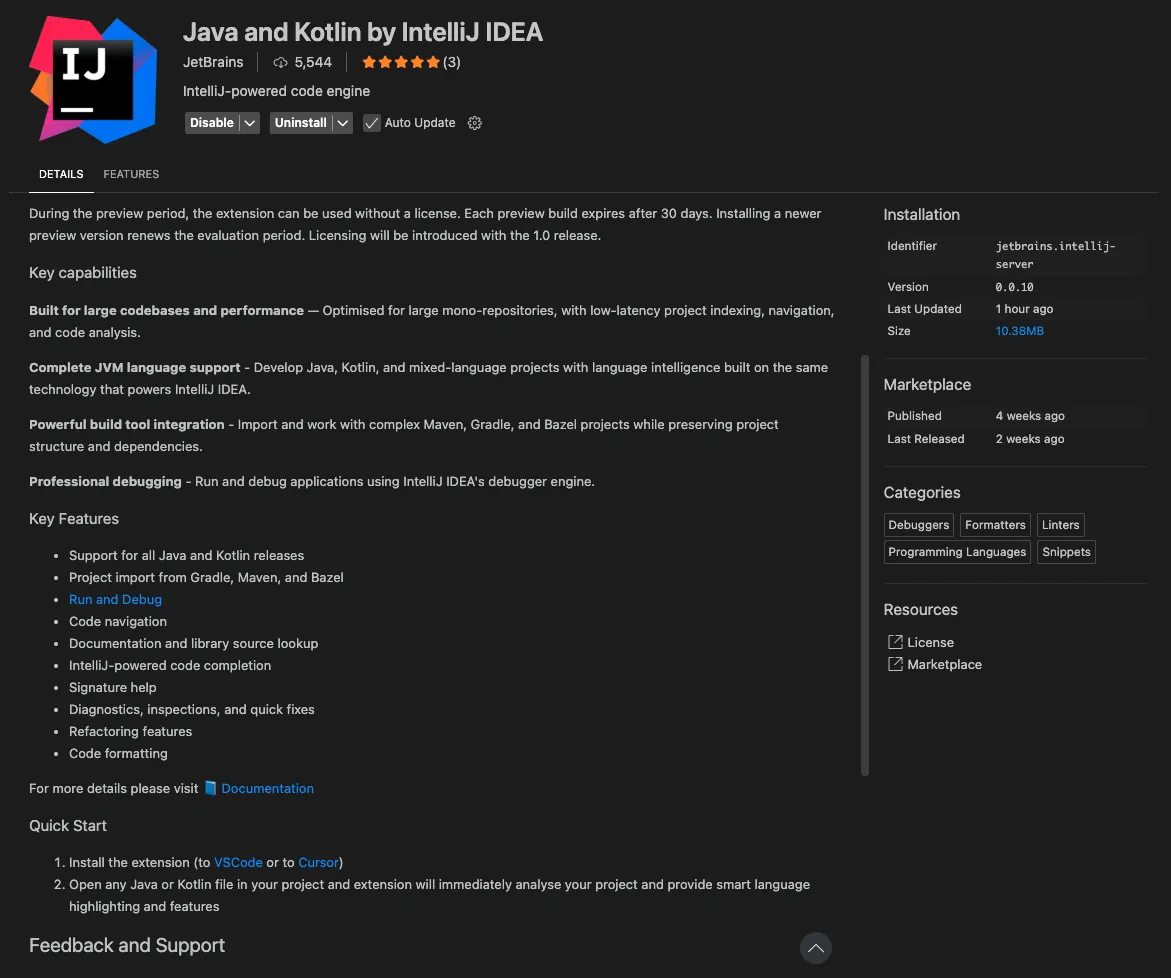
It’s none other than "Java and Kotlin by IntelliJ IDEA," published by JetBrains! If you look at the features, it explicitly states that it supports code formatting.
Once installed, open your settings.json and configure it as follows. After applying these settings, run the formatter in VS Code, and you'll see that it applies the exact same formatting as IntelliJ.
settings.json
Plain Text
1
2
3
4
5
{
    "[java]": {
        "editor.defaultFormatter": "JetBrains.intellij-server",
    }
}
Lovefield
Web Front-End developer
하고싶은게 많고, 나만의 서비스를 만들고 싶은 변태스러운 개발자입니다.

Integrating Google Gemini into Claude Code CLI
Building a LiteLLM Proxy Pipeline & Limitations Review
Server

A Two-Year Sandbox Where Failure Is Allowed: Attending the 1st SK AIGEN Information Session
ETC